
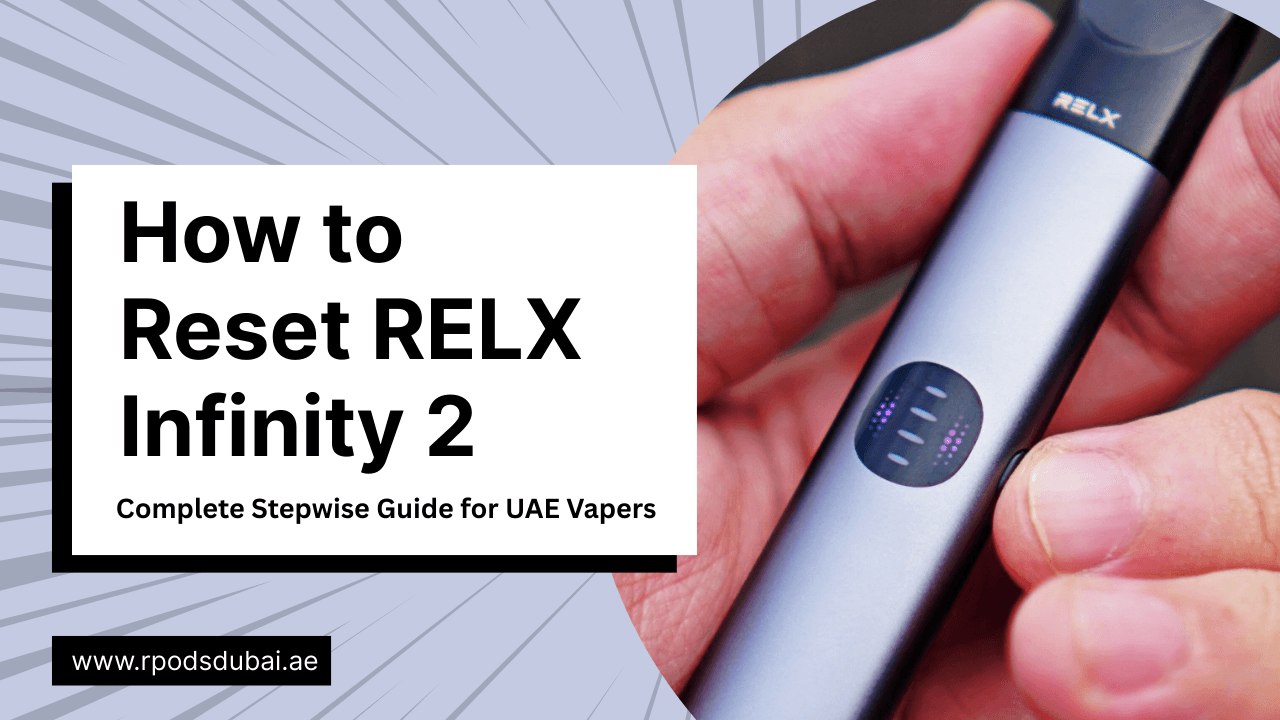
The RELX Infinity 2 has become one of the most popular vape devices in the UAE due to its sleek design, premium feel, and smooth vaping experience. Whether you are a beginner or an experienced vaper, you might sometimes experience issues such as unresponsive pods, irregular LED lights, or device glitches.
This guide provides a RELX Infinity 2 reset guide with step-by-step instructions, troubleshooting tips for UAE users, and ways to maintain your device for long-lasting performance. By following this guide, you can fix most minor issues yourself and continue enjoying smooth, satisfying vaping.
What is RELX Infinity 2?
The RELX Infinity 2 is a compact, stylish vape device that uses nicotine pods instead of traditional cigarettes. It is popular among UAE vapers because of its user-friendly design, portability, and advanced heating technology.
Key Features
- SmartCORE INFINITY™ Technology: Ensures even heating for consistent flavor.
- LED Indicators: Show battery levels, pod connection, and device errors.
- Long-lasting Battery: Supports multiple vaping sessions without frequent charging.
Why UAE Vapers Love It
- Sleek and ergonomic design
- Easy pod replacement system
- Available in multiple vibrant colors and flavors
Why You Might Need to Reset Your RELX Infinity 2
Even reliable devices like the RELX Infinity 2 can sometimes encounter minor glitches. Resetting the device is often the fastest solution.
Common Scenarios
- Device won’t turn on
- Pods are not detected
- LED lights flash abnormally
- Device performance is slower than usual
Benefits of Resetting
- Restores smooth functionality
- Fixes firmware or minor hardware glitches
- Prepares the device for new pods or flavors
- Extends the device lifespan if done properly
RELX Infinity 2: 7 Hidden Features to Improve Your Vaping Experience
Preparing Your RELX Infinity 2 Before Reset
Before performing a reset, a few preparation steps can ensure the process goes smoothly and safely.
Safety and Precautions
- Turn off the device completely
- Remove the pod to prevent liquid leakage
- Ensure the device battery is at least 50% charged
Checklist for UAE Vapers
- Clean the device and pod area
- Keep genuine RELX pods ready for reinsertion
- Avoid using counterfeit pods to prevent device errors
Avoiding Common Mistakes
- Do not reset with a drained battery
- Do not repeatedly press the button too quickly
- Avoid resetting a physically damaged device
Step-by-Step Guide to Reset RELX Infinity 2
Follow this RELX Infinity 2 step by step reset procedure to troubleshoot most minor issues.
Step 1: Power Off the Device
- Press the main button to turn off the device.
- Ensure LED indicators are completely off before proceeding.
Step 2: Press and Hold the Button
- Press and hold the button for 10–12 seconds.
- LED indicators will start flashing, signaling the reset mode.
Step 3: Wait for Reset Confirmation
- Successful reset is indicated by LED lights blinking three times.
- If no blink pattern appears, repeat the process carefully.
Step 4: Release the Button and Reboot
- Let go of the button and wait for 10–15 seconds.
- The device will reboot automatically.
Step 5: Reinsert Pod and Test
- Insert your nicotine pod back into the device.
- Check for proper pod detection and take a test puff.
Pro Tips
- Avoid performing multiple resets in a row
- Check for firmware updates if the device still lags
- Contact RELX UAE support if the device continues to malfunction
Complete Dubai Vape Troubleshooting Guide: RELX Pod Hits But No Flavor: Causes & Fixes
Quick Reset Summary Table
| Step | Action | Indicator |
|---|---|---|
| 1 | Turn off & remove pod | LED off |
| 2 | Hold button 10–12 sec | LED blinking |
| 3 | Wait for confirmation | 3 quick flashes |
| 4 | Release & reboot | Device restarts |
| 5 | Reinsert pod & test | Smooth performance |
Troubleshooting Reset Issues
Sometimes a reset may not fix all problems. Here’s how to troubleshoot effectively.
Device Still Not Responding
- Ensure the battery is charged
- Confirm the pod is genuine and undamaged
- Inspect the device for physical damage
Common Mistakes to Avoid
- Holding the reset button too briefly or too long
- Resetting with a low battery
- Using non-official pods
Contacting Authorized UAE Retailers
If the device does not respond after troubleshooting, visit an authorized RELX distributor in Dubai, Abu Dhabi, or Sharjah for professional assistance.
Tips for Maintaining Your RELX Infinity 2 After Reset
Proper maintenance helps prevent issues and ensures consistent performance.
Cleaning and Care
- Wipe the device regularly to remove dust or residue
- Keep pod connectors clean and dry
Pod Maintenance
- Store pods in a cool, dry place
- Avoid exposing pods to direct sunlight or high temperatures
Best Practices for UAE Vapers
- Avoid leaving the device in hot cars
- Use official charging cables for battery longevity
- Do not overcharge the device
Available RELX Infinity 2 Devices and Colors in UAE
Here’s a table summarizing all popular RELX Infinity 2 colors available in Dubai and UAE, including features and pricing:
| Color | Features | Price (AED) |
|---|---|---|
| Blue Bay | Calm, cool aesthetic | 190 د.إ |
| Cherry Blossom | Fruity flavor, nicotine pod compatible | 190 د.إ |
| Dark Asteroid | Sleek dark color, stylish look | 190 د.إ |
| Green Navy | Modern, vibrant design | 190 د.إ |
| Obsidian Black | Classic, elegant black | 190 د.إ |
| Pearl Glitter | Premium glitter finish, eye-catching | 190 د.إ |
| Royal Indigo | Bold and vibrant color | 190 د.إ |
Each color pairs with the latest nicotine pods, giving UAE vapers both style and performance in one device.
Conclusion
Resetting your RELX Infinity 2 can solve minor glitches, restore device performance, and extend the device’s lifespan. By following this RELX Infinity 2 reset guide carefully, UAE vapers can troubleshoot issues at home and enjoy a smooth vaping experience.
For the latest RELX Infinity 2 devices and nicotine pods, check out Relx Dubai to find your perfect color and flavor combination.
Frequently Asked Questions (FAQs)
Can I Reset My RELX Infinity 2 Multiple Times?
Yes, but avoid excessive resets to prevent firmware strain.
Will Resetting Delete Settings or Affect Pods?
No, the reset mainly restores device functionality. Your pods and flavors remain intact.
How Long Does a Reset Usually Take?
Typically, the reset and reboot process takes less than 2 minutes.
Is It Safe to Reset Under Warranty?
Yes, following the official RELX Infinity 2 step by step reset process keeps your warranty valid.