
IQOS Iluma i Prime Troubleshooting Guide: Fix Common Problems

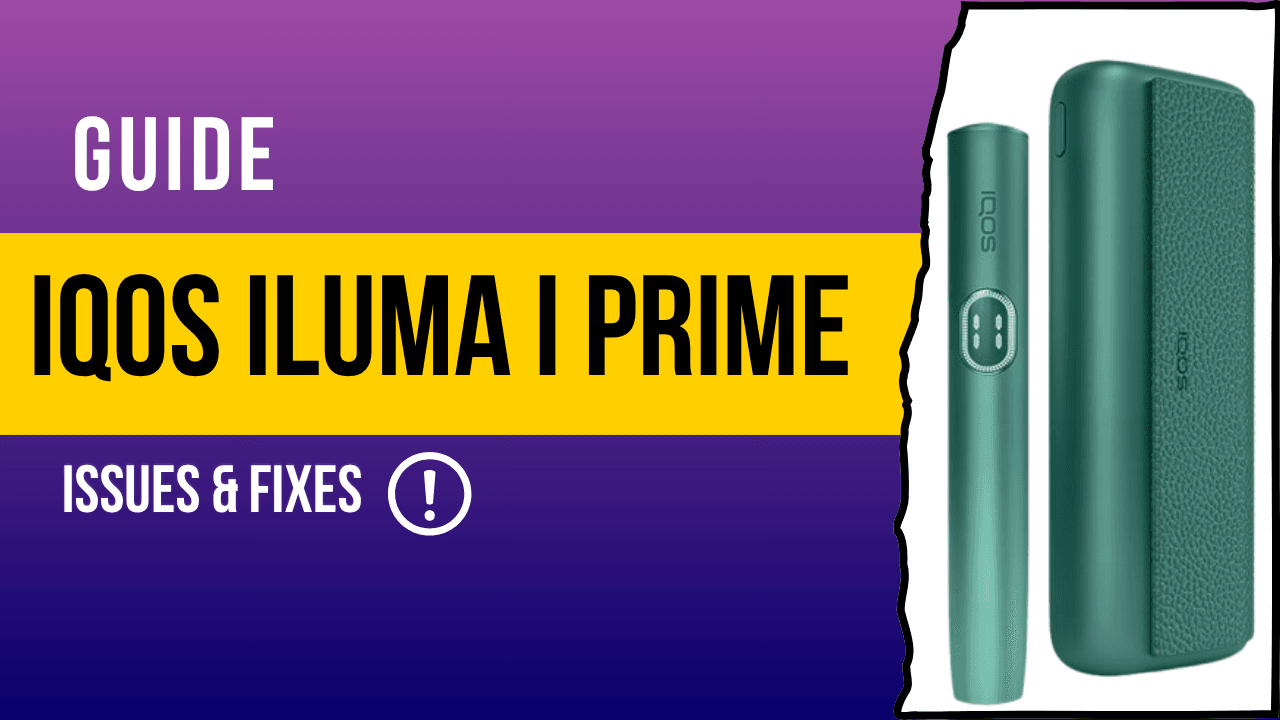
Have you ever been excited to use a sleek, high-tech device, only to have it let you down? That feeling of frustration hits even harder when the gadget is supposed to make your life easier and smoother.
The IQOS ILUMA i PRIME is designed to deliver just that effortless experience. With four smart features, FlexPuff, Pause Mode, FlexBattery, and the intuitive Touch Screen, it makes your tobacco moments feel smooth, simple, and enjoyable every time.
In this guide, you’ll find easy and practical solutions for common problems like the IQOS ILUMA i PRIME not charging, the red blinking light issue, or trouble with TEREA sticks. Consider this your go-to resource before you pick up the phone to call customer support. It’s all about getting you back to enjoying your device quickly and without hassle.
The Universal Fix: Resetting Your IQOS ILUMA Device
Sometimes, all your device needs is a quick reset. Think of it like giving your IQOS ILUMA i PRIME a digital “caffeine break.” This simple step refreshes the system, clears minor glitches, and often fixes issues within seconds, saving you time and unnecessary stress.
How to Reset Your ILUMA i PRIME?
- Place the Holder inside the Pocket Charger.
- Press and hold the Pocket Charger button for 10 seconds.
- Watch closely as the lights dim, flash white, and then come back on.
If this doesn’t fix the problem, don’t worry. Keep reading, real fixes for real problems are coming up next.
Problem-Solution Deep Dive: Common Issues & Easy Fixes
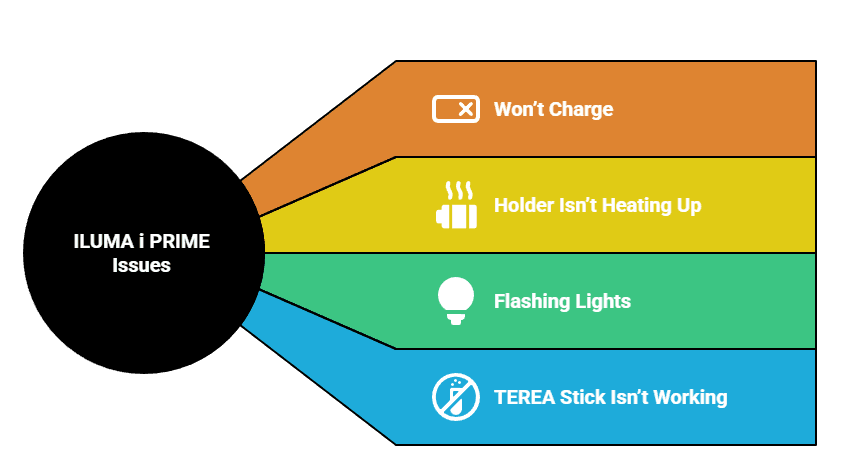
Here are the most common problems, ranked from most frequent to least. This way, you can find the solution quickly and get back to enjoying your device without delay.
IQOS ILUMA i PRIME Won’t Charge (Pocket Charger or Holder)
Symptoms: No lights, slow charging, or no charging response at all.
Quick Fixes:
- Always use the official IQOS charger and the original cable to ensure proper power delivery.
- Check the charging ports and connectors for any dirt, dust, or damage. Even a small bit of debris can stop charging.
- If the device is fully drained, let it charge for at least 20 to 30 minutes before trying to use it again.
- Gently clean all contact points with a soft, dry cloth to remove any buildup that might block charging.
If these steps don’t work, try resetting your device as explained earlier. And if that still doesn’t solve the issue, the next best step is to contact IQOS support in the UAE for professional help.
IQOS ILUMA i PRIME Holder Isn’t Heating Up
Symptoms: Red light blinking repeatedly, no warmth, and no vapor.
Fixes:
- Make sure the Pocket Charger has enough battery power; a low charge can prevent heating.
- Double-check that the Holder is properly seated inside the Pocket Charger it needs to fit correctly to work.
- Avoid using the device in extreme temperatures. IQOS ILUMA i PRIME works best between 0 and 50°C.
- If none of these work, perform the reset process described above.
These simple steps fix most problems and get your device back to perfect working order quickly.
What Do the Flashing Lights Mean?
| Light Color | Meaning | Quick Action |
|---|---|---|
| 🔴 Blinking Red | General error | Reset or contact support |
| ⚪ Blinking White | Device too hot/cold or session ended | Let it normalize, try again |
| 🟡 Blinking Yellow/Orange | Low battery | Charge the device |
TEREA Stick Isn’t Working Properly
Symptoms: The stick feels hard to insert, or the vapor is weak and minimal.
Fixes:
- First, check that the stick hasn’t been used before. Sometimes a stick might get reused by mistake.
- Insert the stick gently, never force it in, as that can damage the device or the stick itself.
- Store your TEREA sticks in a cool, dry place. Heat and humidity can degrade their quality and affect performance.
- Try a new stick to see if the problem is with that specific batch. Sometimes, a faulty stick can cause these issues.
Following these steps usually solves stick-related problems and keeps your experience smooth.
Popular TEREA Flavors to Try
Try these TEREA origins to enjoy a unique and satisfying tobacco experience. Each flavor has its own special character that suits different tastes.
| TEREA Flavor Available Origins |
|---|
| TEREA Kazakhstan |
| TEREA Indonesia |
| TEREA Japan |
You can find all these TEREA flavors and more on our website, ready for you to explore and enjoy.
Pro Tips: Keep Your Device Problem-Free
- Always use official IQOS chargers and accessories. They’re tested to work perfectly with your device and help avoid damage or malfunctions.
- Clean the charging contacts regularly using approved cleaning tools or a soft, dry cloth. This keeps connections clear and charging smooth, especially important in places like Abu Dhabi with dusty conditions.
- Store your device in moderate temperatures. Avoid leaving it in a hot car or in freezing spots, even in the UAE. Extreme heat or cold can harm the electronics and shorten your device’s life.
When to Call IQOS Customer Care?
If troubleshooting doesn’t fix the problem, it’s time to reach out for professional help. You can contact us or send a message on WhatsApp, and we’ll respond to you as soon as possible.
You should call support if you notice:
- A red light that stays on and won’t go away, even after a reset.
- Any physical damage, like cracks or broken parts on the casing.
- Ongoing problems with charging or heating that don’t improve.
Pro Tip: Before you call, have your device’s serial number ready, along with your purchase date or receipt from the UAE. This will speed up the process and get you help faster.
Check Out the Other IQOS ILUMA i Series Models
If you’re interested in the IQOS ILUMA i Prime, you might want to know about the other models in the ILUMA i series as well. Each one is designed to offer a slightly different experience, so you can pick the one that fits your style and needs best.
| Models | Description |
|---|---|
| IQOS ILUMA i One | Compact and simple. Offers core ILUMA features in a small design, perfect for on-the-go use. |
| IQOS ILUMA i Standard | Larger battery with Touch Screen control. Ideal for users wanting longer use and easy operation. |
Conclusion
Don’t panic if you face a problem with your IQOS ILUMA i PRIME, it’s one of the best devices out there, built to deliver a smooth and reliable experience. Here’s a quick recap to keep it working smoothly:
Start with a reset it’s often the fastest way to fix common issues. Take a moment to learn what the different lights on your device mean, so you can spot problems early. Always use official accessories to avoid damage and ensure the best performance. And remember, only contact customer support after you’ve tried these simple steps. That way, you save time and get back to enjoying your device faster.
FAQs
Can I use HEETS with IQOS ILUMA i PRIME in the UAE?
No, only TEREA SMARTCORE STICKS are compatible with the IQOS ILUMA i PRIME. Using HEETS can damage your device, so it’s best to avoid them.
How long does it take to fully charge the IQOS ILUMA i PRIME?
Charging the Pocket Charger takes about 135 minutes to reach a full charge.
Why is my IQOS ILUMA i PRIME blinking white in Dubai’s heat?
Your device might be overheating or outside its ideal operating temperature. Let it cool down in a shaded, moderate area before trying again.
What’s the warranty process for IQOS ILUMA i PRIME in the UAE?
Usually, you’ll need your proof of purchase and the device’s serial number. Contact IQOS UAE or visit an official boutique for detailed instructions.
How do I pause my IQOS ILUMA i PRIME?
While using it, simply tap the Touch Screen twice to activate Pause Mode. This lets you pause your session and resume within a short time.
How do I use the IQOS ILUMA i PRIME for the first time?
First, fully charge the device. Then insert a TEREA stick, press the Holder button until you feel a vibration, and wait for the lights to show it’s ready.
How do I clean my IQOS ILUMA i PRIME?
Use the official cleaning tool or a soft, dry cloth to clean the charging contacts. Avoid using any liquids, as only dry cleaning is recommended for Iluma devices.
What is the IQOS ILUMA i PRIME?
It’s a premium heated tobacco device that features FlexPuff, Pause Mode, FlexBattery, and a Touch Screen. It’s designed for a smooth, blade-free tobacco experience.
Where can I buy IQOS ILUMA in the UAE?
You can buy it from authorized sellers like the Relx Dubai website, which sells both relx and iqos products. Always purchase from trusted sources to ensure you get a genuine product.