
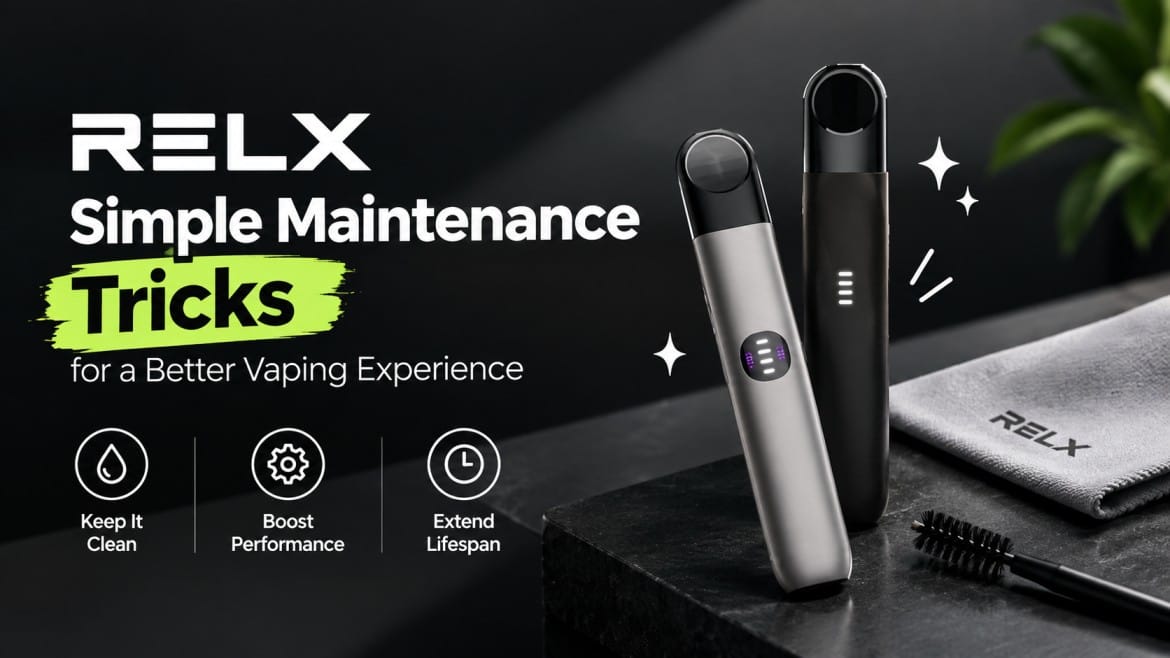
You pick up your RELX and something is off. There’s residue around the pod, the mouthpiece is wet, or the pod leaks in your pocket. Maybe the vapor feels weak, or a red light starts blinking and you can’t tell why.
Most of these problems come from the same few causes: a dirty connection, a loose or damaged pod, or heat. The fixes take a couple of minutes. These RELX device maintenance tips cover five models, the Artisan, Essential, Infinity Plus, Infinity and Infinity 2, along with the Pod Pro and Pod Pro 2 pods. If you’re still choosing, you can browse all RELX devices first.
One rule before we start. Basic maintenance fixes minor issues. If your device is damaged, overheating, or has liquid inside, stop using it. Don’t open it and don’t try to repair the battery.
RELX Device Maintenance Checklist
- Identify your exact RELX model.
- Confirm pod compatibility.
- Keep the device clean and dry.
- Check each pod for damage.
- Inspect the pod connection regularly.
- Clean visible residue from the contact area.
- Check for condensation and leaks.
- Store the device away from heat.
- Replace damaged or leaking pods.
- Check your model’s guide for unusual light behavior.
- Stop using a device that shows serious damage or overheating.
Know Your RELX Device and Pod Before Troubleshooting
RELX Devices Covered in This Guide
- RELX Artisan
- RELX Essential
- RELX Infinity Plus
- RELX Infinity
- RELX Infinity 2
Cleaning works the same way on all five. Charging, indicator lights and pod fit do not. The RELX Infinity 2, for example, has Eco, Smooth and Boost power modes, so it behaves differently from the older Infinity.
RELX Pods Covered in This Guide
- RELX Pod Pro works with the Infinity and the Infinity 2. The RELX Artisan lineup also lists it as compatible.
- RELX Pod Pro 2 is designed for the Infinity 2. Its contacts sit tighter, so dirt or condensation can cause problems on it sooner than on an older pod.
Check compatibility before you insert any pod. A pod that doesn’t fit properly gives you a poor connection at best and damages the contacts at worst.
Don’t Assume Every RELX Model Works the Same Way
Don’t force a pod into any device, and don’t assume a light pattern means the same thing on every model. Read the RELX device user manual for your exact model, and use this guide for the basics.
Why Regular RELX Device Maintenance Matters
Dust, pocket lint, condensation and tiny amounts of e-liquid collect around the pod connection every day. That buildup blocks the electrical contact between pod and device. The result is weak vapor, a device that won’t fire, or a light that blinks for no clear reason.
Storage matters just as much. Pods left in a hot car or in direct sun are far more likely to leak. In the UAE, where summer temperatures regularly pass 40°C, this is the most common avoidable problem.
Maintenance is preventive care. It keeps a healthy device healthy, but it can’t repair a damaged one. If a pod keeps misbehaving, replace it.
Keep Your RELX Device Clean
Clean the Exterior Regularly
Wipe the body with a clean, soft, lint-free cloth. Pay attention to the mouthpiece and the pod connection, because that’s where residue builds first. The small seams on a compact model like the RELX Essential trap lint quickly, so give them a look.
Keep the Pod Connection Free From Residue
- Remove the pod.
- Look at the connection area for condensation, e-liquid residue, dust or lint.
- Clean it gently with a dry cotton swab.
- Let it dry completely before you put the pod back.
What Not to Do
- Don’t soak or wash the device.
- Don’t pour cleaning liquid into it.
- Don’t scrape the connection with sharp objects.
- Don’t open the internal electronics.
Cleaning RELX Contact Pins: A Simple Step-by-Step Guide
Why Contact Pins Matter
The contact pins carry power from the device to the pod. If moisture or residue sits on them, the device may not detect the pod, may not fire, or may flash a warning light. Cleaning the RELX contact pins is the first fix for most connection problems.
How to Clean RELX Contact Pins
- Remove the pod.
- Inspect both sides. Look at the pod base and the device connection for e-liquid, condensation, dust or debris.
- Clean gently. Use a dry cotton swab on visible residue. Light pressure is enough.
- Let it dry. The area must be completely dry before you continue.
- Reinsert a compatible pod. Push it in until it seats fully.
- Test the device as your model’s instructions describe.
Common Contact-Cleaning Mistakes
- Scraping the contacts
- Bending the pins
- Pushing too hard when reinserting the pod
- Letting liquid get inside the device
- Putting a wet pod back in
When Cleaning Doesn’t Solve the Problem
Try a different, undamaged, compatible pod. Charge the device. Then check your model’s troubleshooting instructions. If the problem is still there, don’t take the device apart. Contact RELX support or replace the device.
How to Prevent and Fix RELX Leaking Pods
Is It Really a Leak or Just Condensation?
A little moisture around the mouthpiece is condensation. It happens when you move between hot outdoor air and a cold air-conditioned room, which is an everyday situation in Dubai and Abu Dhabi. Wipe it off and carry on.
A leak is different. If liquid keeps coming back, pools at the pod base, or reaches the connection area, the pod has a problem. A bubbling noise when you draw is a related sign, and our guide to the RELX gurgling sound explains what causes it.
Common Causes of RELX Pod Leaks
- A cracked or damaged pod
- A pod that isn’t seated correctly
- Heavy condensation
- Heat, such as a car dashboard or direct sun
- Poor storage, such as a pod rattling loose in a bag
- A defective pod
How to Fix a RELX Leaking Pod
- Remove the pod carefully.
- Check it for cracks or visible damage.
- Look at the device connection area.
- Wipe away liquid or condensation.
- Make sure the pod and the connection are both dry.
- Reinstall the pod and seat it fully.
- Replace the pod if it keeps leaking or looks damaged.
If liquid reaches your mouth when you draw, that’s a separate fault. Here’s how to deal with a pod spitting liquid.
Pod Pro vs. Pod Pro 2 Considerations
The steps are the same for both pods. The difference is fit. Pod Pro 2 belongs in the Infinity 2, while Pod Pro covers the RELX Infinity and other devices that list it. Never push a pod into a device that doesn’t accept it easily.
When to Stop Using a Leaking Pod
Stop right away if:
- The pod leaks over and over
- The pod is visibly damaged
- Liquid has entered the device
- The device acts strangely after a leak
- Anything feels unusually hot
RELX Blinking Red Light: What Should You Do?
First, Identify Your RELX Model
A RELX blinking red light doesn’t mean one thing on every device. Know whether you’re holding an Artisan, Essential, RELX Infinity Plus, Infinity or Infinity 2 before you decide what’s wrong. Our blinking light colour guide covers the other colours too.
Possible Things to Check
- Battery level. On the Infinity and Infinity 2, ten red flashes mean the device needs charging.
- Pod seating. Take it out and push it back in.
- Pod condition. Try another undamaged pod.
- Connection points. Dirt and condensation are the usual cause when the light blinks as you puff.
- Charger. Two white flashes followed by two red often point to a charger or power-supply reset. Use the original cable and a standard adapter.
- Physical damage or moisture.
Safe Troubleshooting Sequence
- Stop using the device for now.
- Remove the pod.
- Inspect the pod and the connection area.
- Check for moisture, residue or damage.
- Clean visible residue with a dry cotton swab.
- Put in a compatible, undamaged pod.
- Charge the device.
- If the red light continues, check the official guide for your exact model.
When a Red Light Requires Extra Caution
Stop and don’t keep trying if:
- The flashing doesn’t stop
- The device gets unusually hot
- It’s visibly damaged
- Liquid may have got inside
- It behaves in other odd electrical ways
RELX Common Issues and What to Check First
Use this table when something goes wrong. It covers the most frequent RELX common issues.
| Problem | What to check first |
|---|---|
| Device doesn’t activate | Pod seating, battery level, visible damage |
| Little or no vapor | Pod condition, battery level, connection area |
| Weak or inconsistent performance | Pod condition, condensation, connection |
| Pod is leaking | Pod damage, condensation, storage conditions |
| Device doesn’t detect the pod | Pod seating, contact area |
| Device won’t charge | Charging port debris, cable, power adapter |
| Blinking red light | Model’s light guide, battery, pod connection |
| Unusual taste | Pod condition, storage, overheating |
| Device behaves abnormally | Stop use and contact RELX support |
Don’t Turn Troubleshooting Into Guesswork
- Identify your exact device.
- Identify the pod you’re using.
- Follow the instructions for that model.
- Don’t keep pressing a device that isn’t working.
How to Store Your RELX Device and Pods Properly
Store the Device in a Suitable Environment
- Keep it clean and dry.
- Keep it away from heat.
- Don’t leave it in direct sun, and never in a parked car in summer.
- Protect it from knocks and drops.
Store Pods Properly
- Keep them somewhere cool and dry.
- Avoid heat and sudden temperature swings.
- Keep them from getting crushed or cracked.
- Look over every pod before you insert it.
Why Storage Matters
Heat and temperature swings cause condensation and leaks. Lint and dust from a pocket or bag end up on your pod connection. Good storage prevents most of the problems above.
Maintenance Mistakes That Can Damage Your RELX
- Don’t wash or soak the device.
- Don’t pour liquid into the pod bay.
- Don’t scrape contact pins with sharp objects.
- Don’t bend the contact points.
- Don’t force an incompatible pod into the device.
- Don’t open or modify the pod.
- Don’t attempt battery repairs.
- Don’t keep using visibly damaged equipment.
- Don’t ignore overheating or a fault that keeps coming back.
- Don’t assume a light means the same thing on every model.
A Simple RELX Maintenance Routine
After Regular Use
- Check the mouthpiece.
- Look for visible residue.
- Check for leaks or condensation.
When Changing a Pod
- Inspect the new pod for damage.
- Check the connection area.
- Make sure the pod is compatible and fully seated.
- Check the serial number. RELX says authentic pods carry a serial starting with “S”.
When Performance Changes
- Check the pod first.
- Inspect and clean the connection.
- Check the battery.
- If the draw feels tighter or looser than usual, read how airflow changes the drawing experience.
When a Device Behaves Abnormally
Stop and inspect it instead of pressing the button again and again. Check for heat, damage, moisture and leaks. If basic steps don’t fix it, contact RELX support.
When Should You Replace the Pod or Device?
Replace the Pod When
- It’s visibly damaged.
- It keeps leaking.
- It still doesn’t work after the basic checks.
- It shows other signs of wear.
Stop Using the Device When
- It gets unusually hot. Here’s more on RELX overheating causes and prevention.
- It has visible damage.
- Liquid has entered it.
- It behaves abnormally.
- Charging causes unusual behavior.
- The problem continues after you’ve followed the manufacturer’s guidance.
Why You Shouldn’t Attempt Battery Repairs
Battery and internal electronics repairs aren’t user maintenance. One wrong move can cause overheating or worse. Contact RELX support or replace the device.
Where to Buy RELX Devices and Pods in the UAE
Fake devices and pods are common, and they cause blinking lights and leaks that no amount of cleaning fixes. Buy from a seller that guarantees authenticity. RPods Dubai stocks genuine RELX devices and pods with delivery across the UAE, so you can match the right pod to your device before you order.
Frequently Asked Questions About RELX Maintenance
How often should I clean my RELX device?
Clean it whenever you see residue or condensation. A quick look at the pod connection each time you change a pod keeps buildup under control. You don’t need a fixed schedule.
How do I clean RELX contact pins?
Remove the pod, then wipe visible residue off the pins with a dry cotton swab. Use light pressure and let everything dry fully before you reinsert the pod.
How do I fix RELX leaking pods?
Check the pod for cracks, wipe away liquid, dry the connection area, and reseat the pod. Keep pods away from heat. If the leak continues, replace the pod.
Why is my RELX blinking red?
It depends on your model and the pattern. Ten red flashes mean the battery needs charging on the Infinity and Infinity 2. A red blink while you puff usually points to the pod connection. Two white and two red flashes often indicate a charger problem. Check the guide for your exact device.
What are the most common RELX issues?
Dirty connections, pods not seated properly, leaking pods, charging problems and warning lights. Most clear up after cleaning and reseating the pod.
Which pods work with RELX Infinity 2?
The Infinity 2 works with RELX Pod Pro 2 and RELX Pod Pro. It also accepts the standard RELX pod.
Can I use RELX Pod Pro 2 with RELX Artisan?
No. Pod Pro 2 is made for the Infinity 2. The Artisan uses Pod Pro and standard RELX pods. Confirm on the packaging before you buy.
Why isn’t my RELX detecting the pod?
Usually it’s dirty contacts or a pod that isn’t pushed in fully. Clean the pins, reseat the pod, and try a different compatible pod. If none of that works, the device may be faulty.
When should I replace my RELX pod?
Replace it when it’s cracked, keeps leaking, tastes burnt, or still performs badly after cleaning and reseating.
What should I do if my RELX gets unusually hot?
Stop using it right away and let it cool in a safe place. Don’t charge it or try to repair it. Contact RELX support.
Final Takeaway: Small Maintenance Habits Can Prevent Bigger Problems
These RELX device maintenance tips come down to a few habits. Keep the device clean and dry. Check pods before you use them. Wipe residue off the connection. Store everything away from heat. When a pod leaks or a light blinks, treat it as a signal and check it.
The Artisan, Essential, Infinity Plus, Infinity and Infinity 2 aren’t identical, so check your model’s instructions. Use the right pod, Pod Pro or Pod Pro 2, for your device. And know when to stop: if a device is hot, damaged or wet inside, don’t troubleshoot further.
Want more guides like this? Browse our other RELX care articles and subscribe for new ones.
RELX products are for adult users only. Follow UAE regulations.