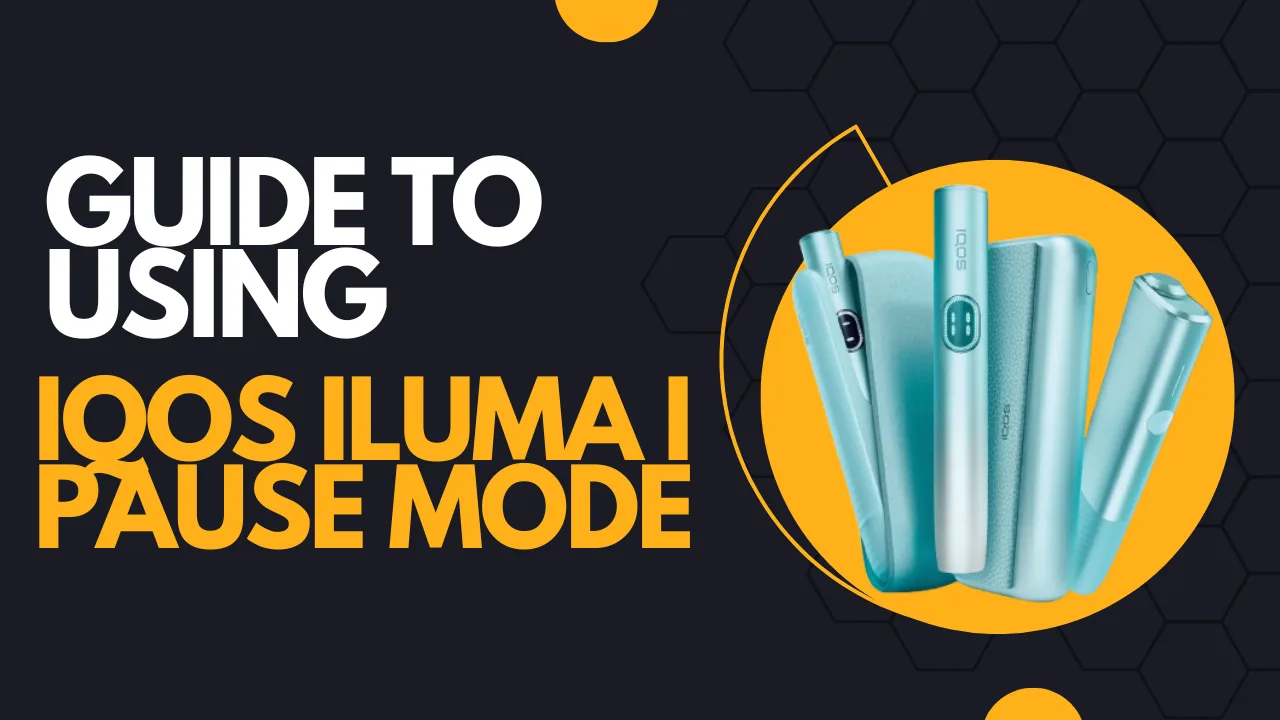
Pause Mode on the IQOS ILUMA i lets you stop a session partway through a TEREA stick and pick it up again a few minutes later, so a phone call doesn’t cost you the stick.
Here is how it works, how to use it, and what to do when it doesn’t behave as expected.
This IQOS ILUMA i Pause Mode guide covers activation, resuming, time limits and troubleshooting.
What Is Pause Mode on IQOS ILUMA i?
Pause Mode is a resting state designed to stop heating without ending your session.
In simple terms:
Your IQOS ILUMA i temporarily stops heating your TEREA stick when you’re not puffing — and resumes when you’re ready.
This prevents:
- Tobacco overheating while you’re not inhaling
- Loss of flavor
- Stick burning faster
- Shorter session times
- Battery drain
Pause Mode is different from ending a session. When a session ends, the stick is finished, no matter how many puffs you took. But when you’re in Pause Mode, you still have all unused puffs waiting.
It is handy for short interruptions like a call or a stop in traffic.
How Pause Mode Works
IQOS ILUMA i runs on the SmartCore Induction System, which uses a bladeless induction coil to heat tobacco from within without burning it.
Pause Mode works in sync with this system.
Here’s what happens behind the scenes:
1. The device detects inactivity
Sensors track when you stop puffing. If you don’t draw for a short period, the device shifts into Pause Mode.
2. Temperature stabilizes
Instead of continuing to heat the stick, ILUMA i reduces the temperature to preserve flavor and stick life.
3. LED and haptic feedback adjust
You may notice:
- Pulsing lights
- Lower brightness
- A vibration signal
These are visual and physical indicators that your device is paused.
4. Heating resumes instantly
Once you puff again or press the button, the device quickly returns to optimal temperature.
This way you get more use out of each TEREA stick when you have to stop for a few minutes.
Choosing the Right ILUMA i Device for UAE Users
The ILUMA i range has three devices. Check the product page or the IQOS user guide to confirm which features your model has. Prices in our shop: flavor, stick usage, and convenience in UAE conditions.
- IQOS ILUMA i Standard: holder plus charging case, from AED 240.
- IQOS ILUMA i Prime: the top model, from AED 390.
- IQOS ILUMA i One: all-in-one and compact, from AED 140.
How to Activate Pause Mode on IQOS ILUMA i
The good news? You don’t need to do anything complicated.
Automatic Activation
Pause Mode automatically activates when you stop puffing for several seconds.
Manual Pause (device-dependent)
On the ILUMA i, some users can manually pause the session by:
- Pressing the control button once
- Waiting for the LED to shift into Pause Mode signals
Not all versions support manual pausing, but automatic Pause Mode works on every ILUMA i device.
How to recognize Pause Mode
You’ll notice:
- LEDs dimming or pulsing
- A gentle vibration
- The device cooling down slightly
These are normal signs — the session is simply paused, not finished.
How to Resume Your Session From Pause Mode
Resuming is even easier.
To restart:
- Take a puff
The device automatically re-heats and resumes the session. - Or press the button once
This restarts heating immediately.
You’ll feel a vibration and see steady light, indicating your session is active again.
How long you can stay paused
A pause has a time limit (see your IQOS user guide).
If your break is longer, the ILUMA i ends the session automatically.
Why Pause Mode Helps You Stop Wasting TEREA Sticks
If you use IQOS regularly, you’ve probably experienced this:
- You put the device down for a minute.
- You come back and realize the stick burned halfway.
- The flavor is gone.
- The session ends too soon.
- You need to use another stick.
That is exactly the problem Pause Mode solves.
Here’s how:
1. No burning during idle time
ILUMA i stops heating the moment you stop puffing.
2. Preserves flavor
Because the tobacco doesn’t continue heating, the taste stays fresher.
3. Extends session duration
Your unused puffs remain waiting for you.
4. Saves you money
No more “half-stick waste.”
5. Better performance with menthol sticks
Menthol flavors like TEREA Green or Menthol Mild — tend to cool faster; Pause Mode helps maintain their crisp freshness.
Pause Mode is most useful for people who are often interrupted mid-session.
Tips for Using Pause Mode
A few habits help:
1. Don’t leave the device unused for too long
Remember: too long of a pause session ends automatically.
2. Use Pause Mode during quick interruptions
Phone calls, short breaks, conversations, etc.
3. Avoid pausing right after inserting a new stick
Let heating stabilize first for the best flavor.
4. Keep your device clean
Dust or residue can interfere with sensors that detect puffs.
5. Keep ILUMA i away from extreme heat
Especially in places like:
- Cars
- Outdoor areas at noon
- Beachside environments
High UAE temperatures can shorten Pause Mode duration.
6. Allow the device to cool fully between sticks
This ensures proper heating in the next session.
Troubleshooting Pause Mode Issues
If Pause Mode isn’t working correctly, try these solutions.
1. Pause Mode does not activate
Check for:
- Dirty chamber
- Old firmware
- Device overheating
2. Session does not resume
Try:
- A gentle puff
- Pressing the button
- Removing and reinserting the stick
3. LED lights not behaving normally
This usually happens when:
- Battery is low
- Device needs a reset
- Moisture is inside due to UAE humidity
4. Device gets too hot
Let it cool. Dubai and Abu Dhabi heat can push ILUMA i into protection mode.
5. Device shuts down instead of pausing
Your firmware may be outdated.
Connect your device to the IQOS App (regional availability may vary).
ILUMA i Devices Pause Mode vs Other ILUMA Models
Here’s what makes the ILUMA i better than other ILUMA models:
| Feature | ILUMA i Devices | ILUMA Standard | ILUMA PRIME | ILUMA ONE |
| Pause Mode | Yes | No | No | No |
If Pause Mode is a key feature for you, ILUMA i is the best choice among all ILUMA models.
Top 5 Mistakes IQOS Users Make That Cause Stick Waste
- Leaving the device in a hot car – causes overheating and stick waste.
- Pausing too late – stick is already partially heated, reducing saved puffs.
- Puffing too aggressively – increases heat, shortens session.
- Not updating firmware – old software affects Pause Mode accuracy.
- Using damaged or soft TEREA sticks – affects airflow and heating consistency.
How Pause Mode Affects Different TEREA Flavors
- Menthol blends like TEREA Green and TEREA Blue can lose their cooling sensation if you pause for too long.
- Balanced tobacco blends such as TEREA Bronze and TEREA Sienna maintain stable flavor even during pauses.
- Rich and intense blends like TEREA Amber and TEREA Ruby perform well, keeping their strong, full-bodied taste throughout the session.
- Fruity menthol variants including TEREA Purple and TEREA Mauve may experience a slight reduction in fruity notes if paused for extended periods.
When NOT to Use Pause Mode
- Less than 1–2 minutes left in the session – not enough tobacco left to preserve.
- Device is overheated from sun or outdoor heat – unstable heating.
- Battery below 10% – restart may be weak or uneven.
- Stick feels soft or moist – poor heat retention.
- Device requires cleaning or reset – Pause Mode won’t correct hardware issues.
More Tips for ILUMA i Users
Use fresh TEREA sticks
Humidity can impact flavor.
Store sticks properly
Especially during hot months in Dubai, Sharjah, and Abu Dhabi.
Avoid leaving the device inside your car
Heat triggers automatic protection.
Update firmware
Features like Pause Mode improve with updates.
Clean your device regularly
A clean device detects puffs more reliably.
FAQ
What does Pause Mode do on the ILUMA i?
It temporarily stops heating the TEREA stick without ending your session, helping you save every puff.
How do I know the device entered Pause Mode?
You’ll notice dimming LEDs or a light vibration.
Does Pause Mode reduce stick flavor?
No, it preserves flavor by preventing overheating.
Can I pause multiple times in one session?
Yes, as long as you don’t exceed the maximum pause duration.
How long will the ILUMA i stay paused?
Up to the time limit in your IQOS user guide; after that the session ends.
Why is my device not resuming after pausing?
Clean the device, check the battery, or press the button to restart heating.
Does Pause Mode help save battery?
Yes — because heating stops during inactivity.
Do all ILUMA models support Pause Mode?
No. Pause Mode is an ILUMA i feature; the original ILUMA models don’t have it.
My device ends the session while paused. Why?
It exceeded the allowed pause time or became too hot.
Is Pause Mode helpful in UAE weather?
Yes, for short breaks. But keep the device out of direct sun: heat can trigger its protection mode.