
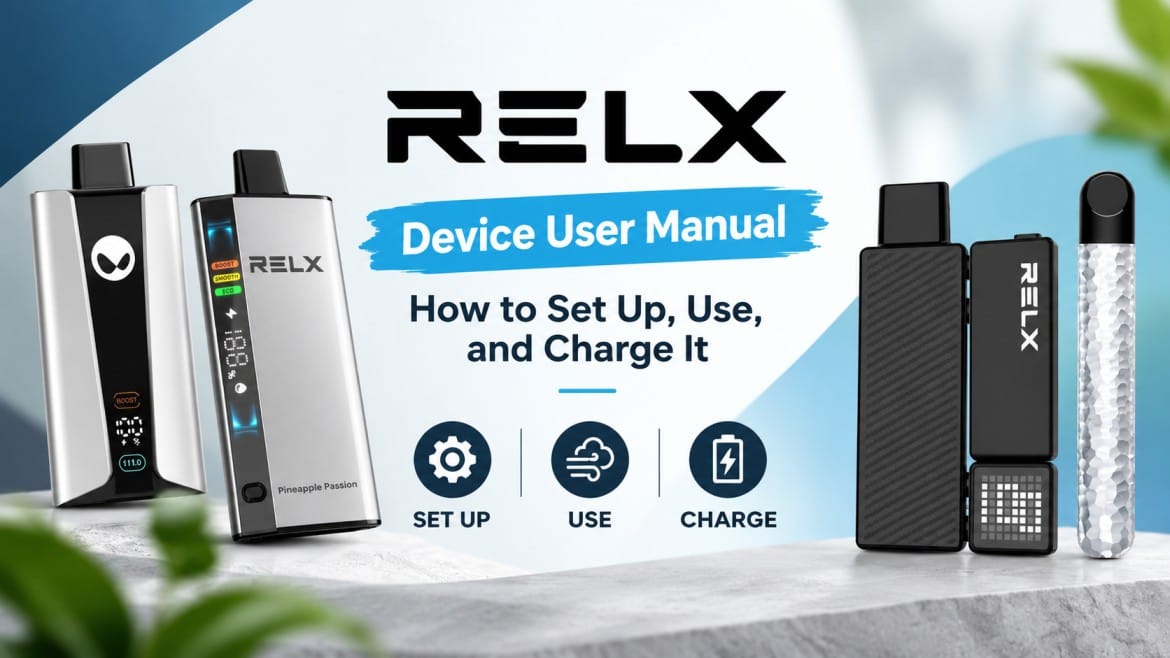
What This Manual Covers
This guide covers identifying your exact RELX device, what’s in the box, installing a pod or activating a disposable, inhaling correctly, charging, battery indicators, pod replacement, cleaning, storage, and troubleshooting.
Not every RELX device uses the same pod. Confirm your exact model and its compatible pod before installing anything, generations genuinely differ. These products are for adults of legal purchasing age only, nicotine is addictive, and you should follow local laws and the manufacturer’s own instructions alongside this guide.
Before You Start: Identify Your Device
RELX devices covered: Artisan, Essential, Infinity Plus, Infinity, Infinity 2, and Creator.
Disposables covered: RELX Ace and WAKA Vapes
Charging ports, battery indicators, and pod compatibility all differ between models, and features like airflow control or screens only exist on certain devices. Check the model name on the device or packaging before following any instructions, and use the manufacturer’s product pages for anything this guide doesn’t cover in full detail.
What’s Included in a RELX Device Package?
Typically: the device, a compatible pod where included, a charging cable where applicable, a printed manual, protective packaging, and a silicone plug on the pod.
Before first use: check for cracks or deformation, check the mouthpiece, check the pod for leakage, confirm the charging port is clean, and remove all protective stickers and silicone plugs. RELX’s Creator instructions specifically tell users to remove the silicone plug and bottom sticker before attaching the pod, a real model-specific step worth checking for your device too.
How to Set Up a RELX Device for the First Time
1. Unpack it. Inspect for damage and remove protective film.
2. Prepare the pod. Remove the packaging and the silicone cap, and check the e-liquid level if transparent. Never use a leaking, damaged, or empty pod.
3. Insert the pod. Align it, push gently, and make sure it sits securely. Never force it.
4. Let it activate. Most RELX systems are draw-activated, with no fire button. Take a gentle first draw, avoid pulling hard or fast.
How to Use a RELX Device Correctly
Keep the device upright or mostly upright, place the mouthpiece between your lips, and draw gently and steadily. Stop if it behaves abnormally. There’s no single universal puff duration across devices, use comfortable draws and avoid repeated long pulls.
Draw activation means the device fires when you inhale, no button is needed, using an airflow sensor. Blocked airflow or condensation can both prevent activation, that’s normal, not a fault. Airflow design also shapes how the drawing actually feels, here’s how airflow changes the drawing experience in more detail.
RELX Model-by-Model User Guide
- Artisan: two-piece device, Type-C charging, compatible with RELX Pod Pro and standard RELX Pod. Insert the pod until it seats securely, draw gently to activate, and monitor the battery via the LED. Don’t assume it shares specs with Artisan Plus, they’re related but distinct products.
- Essential: shares RELX Pod and Pod Pro compatibility with the Infinity family. Insert the pod fully, draw-activated with no buttons. Replace the pod once empty or underperforming. Don’t copy specs from another Essential generation without checking the current listing.
- Infinity Plus: remove protective packaging, insert a compatible pod securely, and draw to activate. The battery shows via the indicator light, charged with the included cable. Replace the pod once it is empty or tasting off.
- Infinity: uses the same RELX Pod and Pod Pro compatibility as Essential, per RELX’s own getting-started guidance. Standard unpack-prepare-insert-draw setup: the LED shows battery and charging status.
- Infinity 2: Identify your exact version first, its adjustable-power feature specifically needs RELX Pod Pro 2. Insert and draw to activate, charge over USB-C. Don’t transfer instructions from Infinity 2 Plus, they’re distinct products. Charging issues on any Infinity model? Here are fixes that actually work.
- Creator: RELX publishes detailed instructions for this one. Remove all protective packaging, including screen film, install the pod, adjust the sliding airflow control to taste, charge over USB-C, and monitor battery via the display.
How to Charge a RELX Device
Rechargeable pod devices (Artisan, Essential, Infinity, Infinity Plus, Infinity 2, and Creator) differ from rechargeable disposable-style devices and genuine non-rechargeable disposables, never assume, check your specific model.
Steps: inspect the device, use the manufacturer’s recommended cable, connect securely, place it on a stable non-flammable surface, monitor the charging indicator, and disconnect once complete.
Charging time varies by model, battery capacity, charger, and battery condition, there’s no single universal figure. Older RELX documentation for one device listed 40 to 60 minutes, which shows exactly why a model-specific figure beats a generic one, check your exact model’s own listing. Whether you can use a device while it charges depends entirely on that model’s official instructions, don’t assume pass-through charging works across the whole range.
Understanding RELX Battery Indicators and LED Lights
| Indicator | What It May Mean | What to Do |
|---|---|---|
| Battery/full indicator | Sufficient charge | Continue normal use |
| Low-battery warning | Needs charging | Recharge |
| Charging indicator | Receiving power | Continue as directed |
| Charging complete | Finished charging | Disconnect as instructed |
| Repeated flashing | Possible warning/error | Check your model’s manual |
| No light | Low battery, connection issue, or fault | Troubleshoot |
Don’t treat any LED color as universal, different devices use different systems, and RELX documents distinct flashing patterns for over-inhaling versus low power specifically. Full color by color breakdown here.
How to Replace a RELX Pod
Replace it when it’s empty, the flavor changes noticeably, vapor drops off, it tastes burnt, it leaks, or it’s damaged. RELX’s own instructions are direct: replace pods once empty, don’t keep using a nearly empty one.
- Steps: remove the old pod, dispose of it properly, unpack the new one, remove the protective cap, inspect for damage, insert securely, and take a gentle draw to confirm.
- Preventing leaks: avoid damaged pods, keep the device upright, avoid extreme heat, keep the mouthpiece clean, and don’t disassemble pods or mix incompatible components. Liquid unexpectedly in your mouth during a draw? Here’s how to actually fix a spitting pod.
How to Use RELX Disposable Vapes
Disposables aren’t pod systems; treat them differently. Unbox RELX Ace, remove protective seals, and check it over. Most versions are activated by inhaling, confirm this matches your specific version. Battery and e-liquid are both fixed and limited, there’s no topping up. Stop once vapor drops off noticeably, and dispose of it per local regulations.
Important rule: don’t refill, open, modify, or disassemble a disposable unless the manufacturer explicitly built it for that. This matches RELX’s general instruction not to open or disassemble its products. Common mistakes to avoid with disposable vapes generally.
WAKA Disposable Vape User Manual
WAKA gets its own section, it’s a separate product line. Unbox, remove protective packaging, activate by inhaling for most models, and dispose of it once vapor and flavor drop off entirely.
- WAKA PA25000: Identify the exact model first. Set up by removing packaging and activating by inhalation. Only charge it if the manufacturer’s documentation confirms this exact model is rechargeable, don’t assume.
- WAKA SoPro 20000: unbox, remove the seal, and activate by inhaling. Check the current listing for charging support, indicators, and any airflow or mode controls rather than assuming from the name.
- WAKA SoPro 10000: same setup flow. Monitor remaining capacity via its indicator, only charge if the manufacturer confirms this model supports it. Anything not working as expected? This troubleshooting guide covers the common fixes before assuming it’s simply finished.
We’re not inventing battery capacities, charging types, or control layouts for any WAKA model beyond what the current listing confirms, specifications change, so the listing is the reliable source at purchase time.
How to Clean and Maintain a RELX Device
Safe to clean: the mouthpiece, exterior, pod connection area, and charging-port exterior.
- How: Remove the pod, turn the device off or disconnect it, wipe the exterior with a dry or appropriately damp cloth, remove condensation carefully, and let everything dry before reuse. RELX recommends cleaning visible dirt and water stains promptly and keeping liquid from entering the device.
- Never: Immerse it in water, pour liquid into the charging port, puncture the battery, disassemble the device, or attempt a DIY battery replacement.
RELX Device Troubleshooting Guide
- Won’t turn on: depleted battery, a misseated pod, physical damage, or a charging problem. Check the battery, reinsert the pod, inspect for damage, try the approved charging method, and stop using it if it’s physically damaged.
- Not charging: dirty port, damaged cable, incompatible charger, battery fault, liquid exposure, or physical damage. Fixes that actually work here.
- Blinks but doesn’t work: patterns vary by model, check your manual, reinsert the pod, check for condensation and battery level, and stop using it if you notice abnormal heating or damage.
- Weak vapor: low battery, an empty or near-empty pod, blocked airflow, condensation, or a pod nearing the end of life. Switched from a disposable, and RELX feels weaker? Here’s why.
- Tastes burnt: stop using the pod, check the e-liquid level, and replace an empty or nearly empty pod rather than pushing through.
- Pod leaking: remove it, wipe the connection area, don’t inhale leaked liquid, replace a pod that keeps leaking, and contact customer support if it continues. RELX specifically recommends this for persistent leakage.
RELX Device Safety Instructions
- Battery safety: don’t puncture, crush, burn, or disassemble the device. Don’t expose it to excessive heat. Don’t use a visibly damaged or swollen device. Keep it away from water. Follow your model’s specific charging instructions. RELX states built in lithium-ion batteries should never be removed or replaced by users, and to stop using the device immediately if it’s damaged or deformed. What causes overheating and how to prevent it.
- Keep away from children and pets: nicotine is toxic if ingested. Store devices and pods securely, out of reach and sight.
- Who shouldn’t use nicotine products: minors, pregnant or nursing individuals, non-smokers, and people with certain medical conditions, per the manufacturer’s own warnings. This isn’t medical advice, personal questions belong with a healthcare professional.
How to Store Your RELX Device and Pods
Cool, dry, away from direct sunlight, away from children and pets, and away from temperature extremes. RELX recommends cool, dry, dark storage with more specific guidance per product. For long-term storage, keep rechargeable devices safe from heat and recharge them periodically rather than leaving them fully depleted for months.
RELX Device Do’s and Don’ts
| Do | Don’t |
|---|---|
| Use compatible pods | Force incompatible pods |
| Keep the device dry | Immerse it in water |
| Inspect before use | Use a visibly damaged device |
| Charge according to the manual | Use an unsuitable charging method |
| Keep upright when appropriate | Store it in extreme heat |
| Replace empty pods | Keep using depleted pods |
| Keep away from children | Leave nicotine products accessible |
| Follow model-specific instructions | Assume every RELX model works identically |
Frequently Asked Questions About RELX Devices
How do I use a RELX device for the first time?
Insert a compatible pod, then draw gently on the mouthpiece. Most RELX devices are draw-activated.
Do RELX devices need charging before first use?
Check the battery indicator. Many arrive partially charged, but topping up first is a sensible default.
How do I know when my RELX needs charging?
The low-battery indicator will show it. Check the table above for model-specific details.
How long does a RELX device take to charge?
Charging time varies by model and battery capacity. Check your specific device’s documentation.
Can I use my RELX while charging?
Only if your model’s official instructions confirm pass-through use.
How do I know when a pod is empty?
Flavor fades, vapor drops, or the pod may start tasting burnt.
Can I refill a RELX pod?
No. RELX pods are prefilled and designed for single use until empty.
Why is my RELX blinking?
Blinking patterns differ by model and usually indicate a specific status or issue. Check the color guide for details.
Why is my RELX not producing vapor?
Common causes include a low battery, empty pod, blocked airflow, or condensation.
Why is my RELX pod leaking?
Damage, heat exposure, or a poor pod fit can cause leaks. Replace the pod if leaking continues.
How do I clean my RELX?
Remove the pod, then wipe the exterior and connection area with a dry or slightly damp cloth. Let it dry fully before use.
Can I use any RELX pod with any RELX device?
No. Pod compatibility varies between RELX device models.
Is RELX Infinity compatible with Infinity 2 pods?
No. Infinity 2 uses Pod Pro 2 pods, so don’t assume pods are interchangeable between models.
How do I use a RELX Creator?
Remove all packaging, including the screen film, insert the pod, adjust the sliding airflow control, and charge it via USB-C.
Is the RELX Ace disposable rechargeable?
Check the listing or documentation for your specific version rather than assuming it is rechargeable.
Is WAKA PA25000 rechargeable?
Check the manufacturer’s current documentation for the exact PA25000 model to confirm whether it supports charging.
How do I use WAKA SoPro 20000?
Unbox it, remove the seal, and activate it by inhaling. Follow the model-specific charging instructions if your version supports charging.
How do I know when a disposable is finished?
Vapor usually drops noticeably, and the flavor fades. At that point, dispose of the device according to local waste guidelines.
RELX Device Quick-Start Cheat Sheet
For Rechargeable Devices
- Identify your model – Confirm which RELX device you have.
- Check pod compatibility – Use a pod designed for your specific model.
- Remove the packaging – Take off all protective seals, films, and covers.
- Install the pod – Insert the compatible pod securely into the device.
- Check the battery – Make sure the device has enough charge.
- Take a gentle draw – Inhale through the mouthpiece without pulling too hard.
- Monitor the device – Keep an eye on the battery and pod status.
- Recharge when needed – Connect the device to its charger when the battery is low.
- Replace the pod when empty – Change the pod when the flavor or vapor noticeably drops.
- Store it safely – Keep the device away from excessive heat, moisture, and direct sunlight.
For Disposable Devices
- Identify the model – Confirm the exact disposable you have.
- Remove the packaging – Take off all protective seals and covers.
- Activate as instructed – Most draw-activated models start when you inhale.
- Monitor the device – Watch for battery or other indicator signals if available.
- Recharge only when specified – Charge the device only if the manufacturer confirms that it is rechargeable.
- Stop when depleted – Dispose of the device once the vapor or flavor has noticeably faded.
- Dispose appropriately – Follow local guidelines for electronic waste disposal.
Where to Find Official RELX Instructions and Support
RELX maintains its own official instructions page and a regularly updated beginner-guide library with model-specific documents, the right place for anything this guide doesn’t cover, warranty terms included. Not sure which instructions apply to your device? Check the model name on the device or packaging before following any charging or pod instructions, guessing from general similarity is how most avoidable problems start.
Final Takeaway
Identify the exact model first, every time. Use only compatible pods. Follow the manufacturer’s charging instructions rather than a generic routine. Keep the device clean and dry. Replace empty or damaged pods promptly. Never disassemble the battery or device. When troubleshooting genuinely doesn’t fix the problem, stop using the product and contact manufacturer support.
Where to Buy RELX and WAKA Devices in the UAE
Rpods Dubai carries the full RELX range covered here: Artisan, Essential, Infinity, Infinity Plus, Infinity 2, and Creator, along with the RELX Ace and the WAKA lineup, including PA25000 and SoPro 10000/20000. Check the exact model and pod compatibility on each listing before ordering, and confirm current stock, specifications and figures do not shift over time. These are nicotine products intended for adults of legal purchasing age only, and nicotine is addictive.