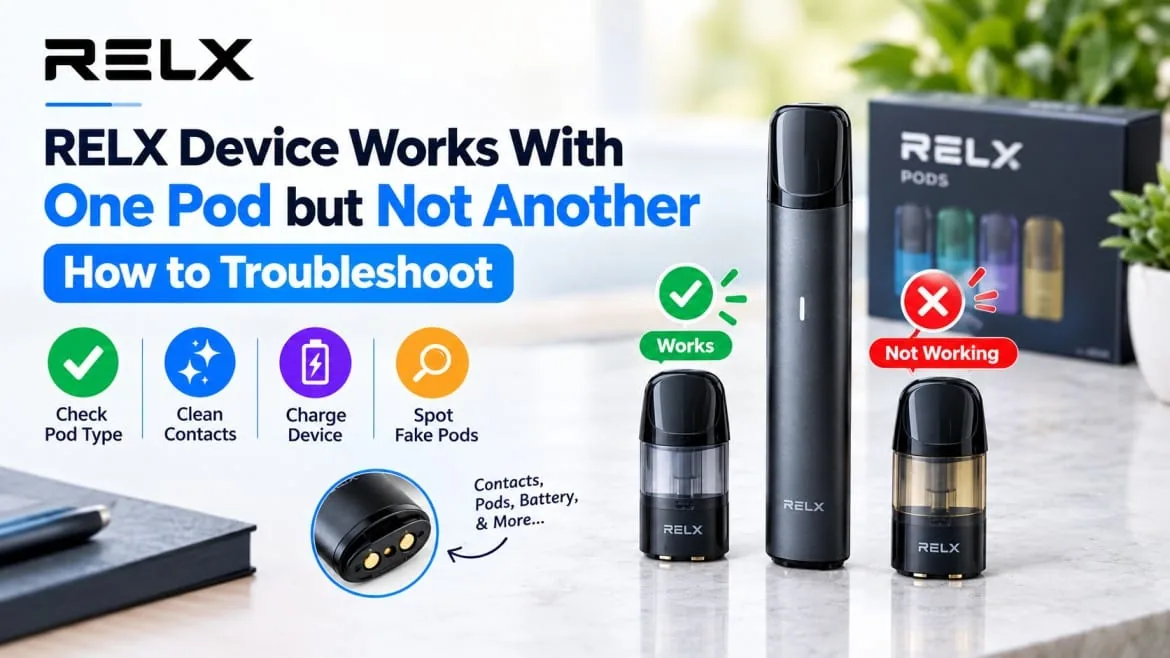
You click a fresh pod into your RELX, press the button and get nothing. Put the old pod back and the device fires as if nothing happened. It feels odd, especially right after buying new pods, but it is one of the easier faults to track down. When a RELX device works with one pod but not another, the device is usually fine, and the cause sits in the pod, the connection or the match between the two. The RELX pod range covers several pod families, so the fix often begins with knowing which one you own.
What a Working Pod Already Proves
A single pod that fires tells you a great deal. The battery has charge, the device can read a compatible pod, and the airflow path is clear. That leaves four likely suspects:
- A pod from a different family than your device expects
- Dirty, bent or half-seated contacts
- A faulty or heat-damaged pod
- A counterfeit pod
Check them in that order and most cases wrap up within minutes.
The 60-Second Check
Start with the quick wins, since they solve more cases than anything else in this guide.
- Pull the pod out, then press it back in firmly and evenly until it clicks.
- Look the pod over for cracks, a loose mouthpiece or liquid at the base.
- Charge the device, because a low battery can stop an unfamiliar pod from registering.
- Test the working pod one more time to confirm that the device is healthy.
| What you see | What it usually means |
|---|---|
| New pod works after reseating | A seating issue |
| New pod fails, old pod works | The new pod, its fit or its type |
| Both pods fail | Battery, contacts or the device |
| New pod works now and then | Dirty contacts or a loose fit |
Does the Pod Belong to Your Device?
People miss this cause more than any other. RELX sells several pod families, and a pod that slides in is not always one the device can read. The Pod Pro and Pod Pro 2 look alike on the shelf yet belong to different generations, and this side by side look at Pod Pro vs Pod Pro 2 explains how they differ in daily vaping. A simple example: a Double Apple pod made for the Pod Pro will not behave the same way as a Hazelnut Latte pod made for the Pod Pro 2, even though both slide into a socket.
Other lines follow their own pairing as well. Creator owners need pods made for the RELX Creator, and Infinity 2 owners should check which pod family their device expects before ordering. A few habits help:
- Match the pod family on the box to your device name, not only the flavor.
- Treat a snug fit as a coincidence, not proof of compatibility.
- Check which range a flavor belongs to before it goes into your basket.
Nicotine strength is a separate choice, so confirm that the strength you want, whether 18mg or 3%, is sold for your pod family. If you run several devices, keep pods in their original boxes so the wrong one never ends up in your hand.
Dirty or Bent Contacts
Even a compatible pod stays silent when the electrical contact is weak. Residue, condensation or pocket lint can settle on the metal pins and break the signal, and a device that rides loose in a bag collects it faster. Keeping contacts clean mostly comes down to wiping and storing your RELX device properly.
If dirt has already built up, try this safe routine:
- Remove the pod and look closely at the pins on the pod base and inside the socket.
- Wipe them gently with a dry, lint-free cloth or a dry cotton swab.
- Wait a minute, then seat the pod again.
Keep water, sharp tools and cleaning liquids away, because moisture in the socket does more damage than dust ever will. Inspect the pod too, since a pin sitting lower than the rest fails in every device.
A Faulty or Heat-Damaged Pod
Manufacturing faults are rare, but a single bad pod is the neat explanation once everything else checks out. Warning signs include:
- No response, even after careful reseating
- A wobbly fit compared with your other pods
- Liquid around the base
- A draw that feels fully blocked
- A pod that works briefly, then goes quiet
Heat matters in the UAE. A pod left in a parked car or on a sunny windowsill can behave oddly afterward, so keep spares somewhere cool and dry. If you own a second compatible device, test the pod there. Failure in both points to the pod, while success points back to your original socket. Please don’t keep forcing a pod that refuses to register, because repeated pressing can bend the connector.
Could the Pod Be a Fake?
Counterfeits appear in every vape market, and a fake pod may fit loosely, carry blurry printing or fail to talk to the device. A cheap Dark Sparkle multipack from an unfamiliar seller can be tempting, and that is exactly when it pays to know how to spot fake RELX pods in the UAE. Watch for uneven packaging, odd or missing codes, a different feel from your usual pods and a price far below normal. The simple rule is to buy from a trusted seller and keep the packaging until you have confirmed that the pod works.
When the Device Is the Real Culprit
Experienced vapers who have already ruled out the pod should look here. A drained battery, sticky residue in the socket, or a device that has been dropped or soaked can seem to reject only certain pods. Charge it fully, clean the socket and try a pod you trust. For a reset that matches your exact model, follow the steps in your device manual.
If a known-good pod also fails, the device is the likelier cause, and a newer RELX device may be a better move than more troubleshooting. If pod matching has become a constant headache, RELX Ace disposables skip the pod question entirely.
The Full Troubleshooting Routine
Work through this list from top to bottom and stop as soon as it works:
- Remove the pod and press it back in until it clicks.
- Confirm that the pod family on the box matches your device.
- Inspect the pod for cracks, leaks or a bent pin.
- Wipe the contacts with a dry cloth or cotton swab.
- Charge the device fully and try again.
- Test the pod in another compatible device.
- Try a different pod in your own device.
- Check the packaging and fit for signs of a fake.
When to Contact Support
Stop troubleshooting if every pod fails, the device feels unusually hot, you notice a burning smell, or the body or socket looks damaged. Heat and burning smells are safety signals, so stop using the device at once. Keep your proof of purchase, the packaging and a short note about what you tried, then contact your seller or RELX support and ask about warranty cover.
Final Thoughts
A RELX that works with one pod but not another feels like a big problem, yet it almost always comes down to a short list of causes you can check calmly in minutes. Match the pod to the device, keep the contacts clean, store spares well and buy from a source you trust. When you need a replacement, you can order at RELX Dubai and receive it within one to two hours in Dubai, Ajman and Sharjah.
Nicotine disclaimer: RELX products contain nicotine, which is an addictive chemical. They are intended for adult smokers only and are not suitable for minors, pregnant or breastfeeding women, or people who do not currently use nicotine products.
Frequently Asked Questions
Why does my RELX device work with one pod but not another?
The usual causes are a pod from a different family, dirty or poorly seated contacts, a faulty pod or a counterfeit one. Since the first pod works, the battery and device are normally fine.
Can any RELX pod go into any RELX device?
No. RELX builds several pod families for specific devices, so check the box against your device name before buying.
Is cleaning the connector myself safe?
Yes, when you stay gentle and dry. A lint-free cloth or dry cotton swab is enough, and water, sharp tools and cleaning liquids should stay away.
How can I tell a faulty pod from a fake one?
A faulty pod fails in more than one compatible device. A fake often shows poor packaging, a loose fit or odd markings. Compare it side by side with a pod you know is genuine.
Does UAE heat affect whether a pod works?
It can. Long spells in a hot car or sunny spot may damage a pod, so store spares somewhere cool.